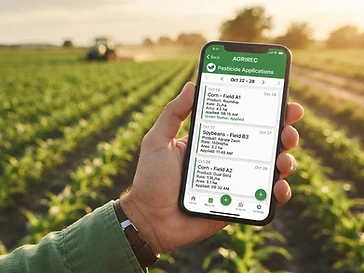
Why It Matters
Private pesticide applicators are required by law to keep detailed records of every application — often for three years or more. Paper logs get lost, damaged, or left in the truck. AgriRecord Pro keeps your records safe, organized, and ready for any inspection.
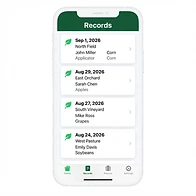
Log Applications in Seconds
Capture every required field — date, time, location, applicator, products, rates, and REI — in a clean form designed for the field.
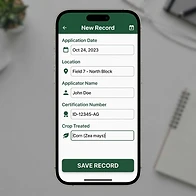
Smart Auto-Fill
Applicators, locations, and products are saved to your library automatically. Next time, just tap to select — no retyping.
Export Audit-Ready PDFs
Generate professional, formatted PDF reports filtered by date range. Hand them to your inspector with confidence.
Multi-User Farm Management
Invite team members to your farm. Everyone shares the same applicators, locations, and product library. The farm owner sees all records.
How It Works
Create your free account
Sign up in seconds with your email or Google account.
Log your applications
Enter the details once — AgriRecord Pro remembers everything for next time.
Export when needed
Generate a PDF report for any date range, ready for inspection.
Frequently Asked Questions
AgriRecord Pro is a mobile-first record-keeping app for private pesticide applicators. It lets you log every pesticide application, manage your chemical and equipment history, and export audit-ready PDF reports for regulatory compliance.
Add to Your Home Screen
AgriRecord Pro works right in your browser. While we're not on the App Store yet, you can install it on your phone for the full app experience.
📱 iPhone (iOS)
- 1. Open Safari and go to agrirecord-pro.base44.app
- 2. Tap the Share button (square with up arrow)
- 3. Scroll down and tap "Add to Home Screen"
- 4. Tap "Add" — it's now on your home screen
🤖 Android
- 1. Open Chrome and go to agrirecord-pro.base44.app
- 2. Tap the three-dot menu (⋮) in the top right
- 3. Tap "Add to Home screen"
- 4. Tap "Add" — it's now on your home screen